24

What is it?

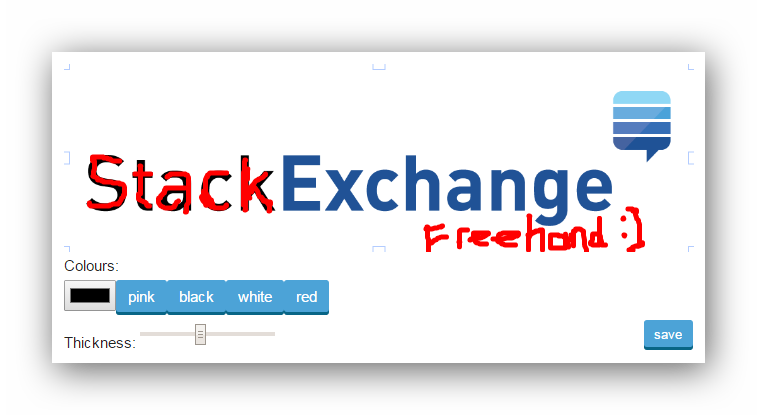
A userscript that lets you draw directly onto images on any Stack Exchange site to add freehand circles (or anything else you might like to add).

It has been designed to work like StackExchange™ SuperCollider Freehand Circle™ Editor - [Now supported on EVERY StackExchange site!] which unfortunately the owner doesn't have time to maintain anymore :(

How do I use it?

On every image on every site you will now see 2 buttons added: edit and save.

Clicking edit converts the image to a canvas for you to draw on. A toolbar is added underneath the image where you can change the brush colour or brush *width**. Once you are done, you can click save and the script will upload the new image to imgur, and edit the post for you with the new link in it!

Note: You must have an access token for this to work. Get one at Github

Install

  1. You need to have something like Greasemonkey or Tampermonkey for this to work, as it saves your access token via GM_setValue()!
  2. You need an access token. Get one from here
  3. Install: view source or install

enter image description here

Notes

  1. Images are save under imgur.com and NOT stack.imgur.com (Stack Exchange's own domain for inline images). This shouldn't be a problem because it says here that images are kept forever...
  2. The script works thanks to Fabric.JS and jQuery
  3. This script has only been tested on Google Chrome and Firefox - I haven't tested on other browsers!
  4. Here is a sandbox where you can test the script


Change log

v1.0.6: Fixed the script - it was broken with new images that are now linked to a bigger version automatically.

4
  • 1
    For what? Demonstrating the script? It might also be worth noting that this will not work GIFs - it can't edit a gifs frame! Commented Jun 20, 2015 at 18:44
  • hey, look at what I did stackapps.com/questions/6216/… :D Commented Jun 20, 2015 at 19:01
  • @nicael I've already upvoted before :) But what have you done to that gif!? Commented Jun 20, 2015 at 20:13
  • 2
    Double-gifed :D Commented Jun 20, 2015 at 20:13

4 Answers 4

4

:

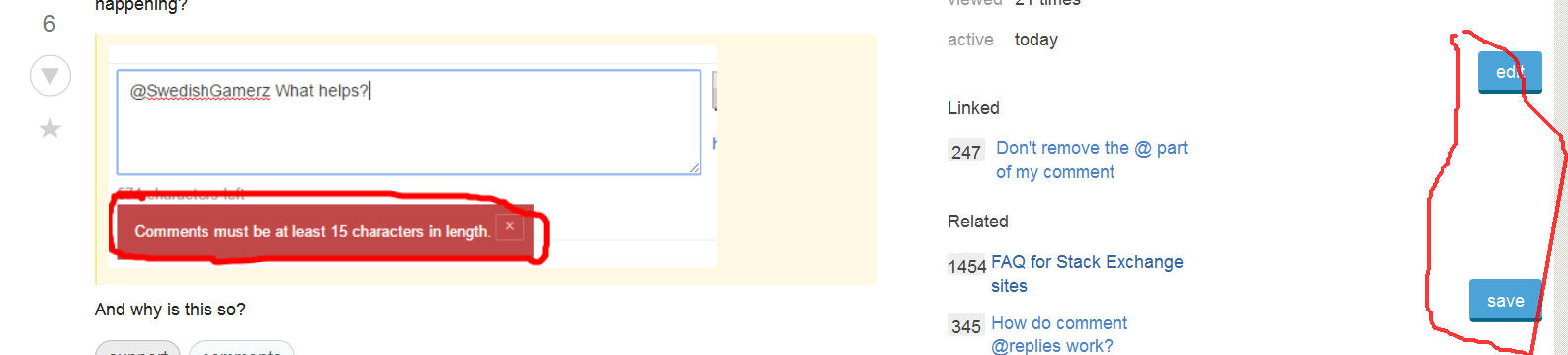
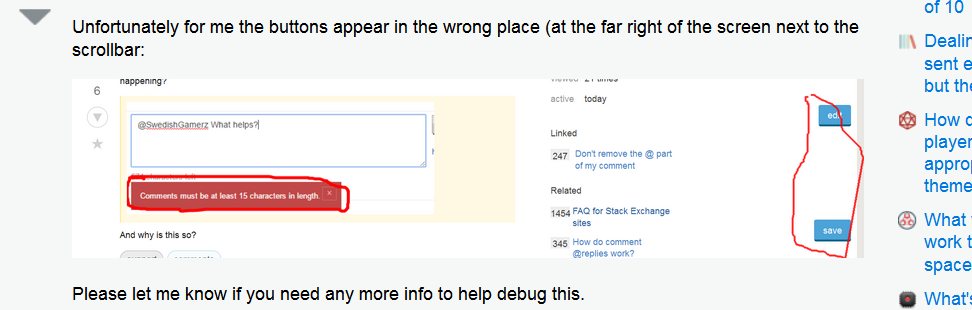
Unfortunately for me the buttons appear in the wrong place (at the far right of the screen next to the scrollbar:

enter image description here

Please let me know if you need any more info to help debug this.

OS Windows 7 64 bit.

Firefox 38.0.5


:

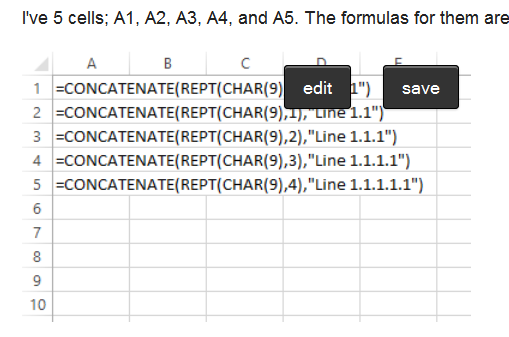
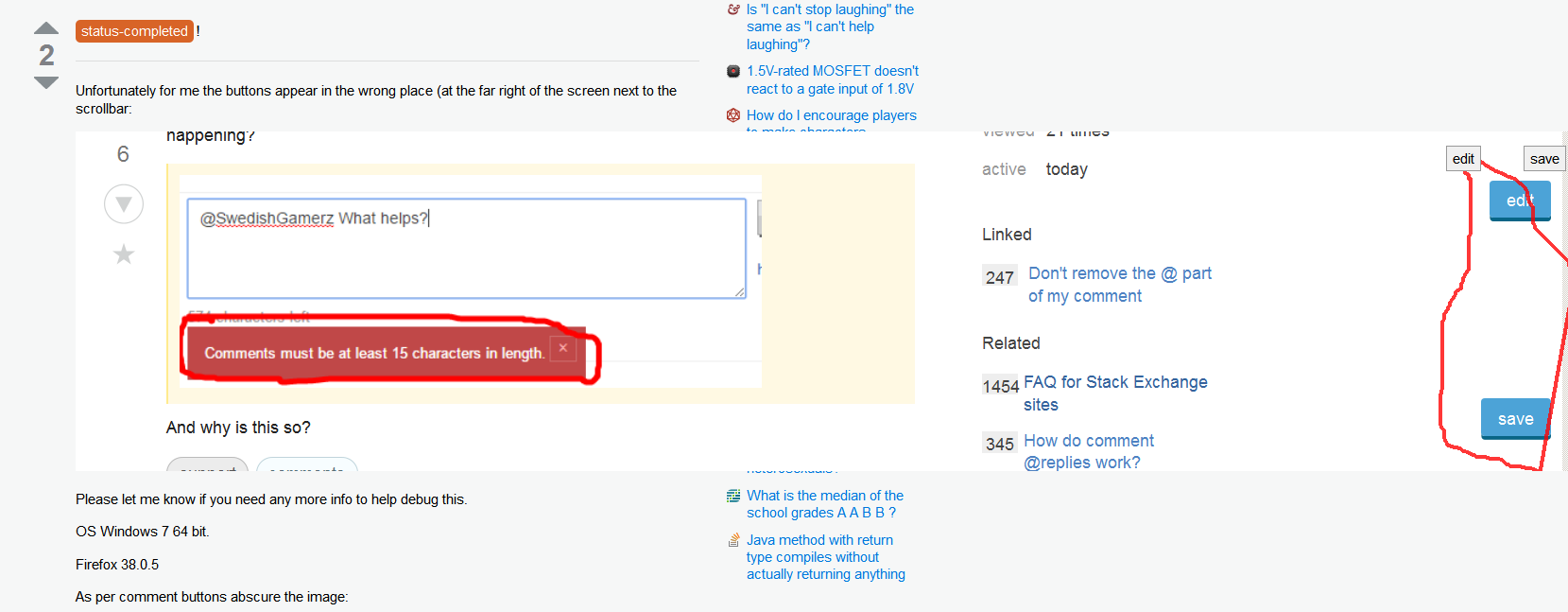
As per comment buttons abscure the image:

enter image description here


(there was an error with the access token)

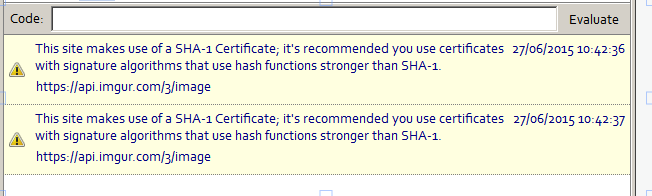
When saving (which doesn't work) I get:

enter image description here


Without freehand:

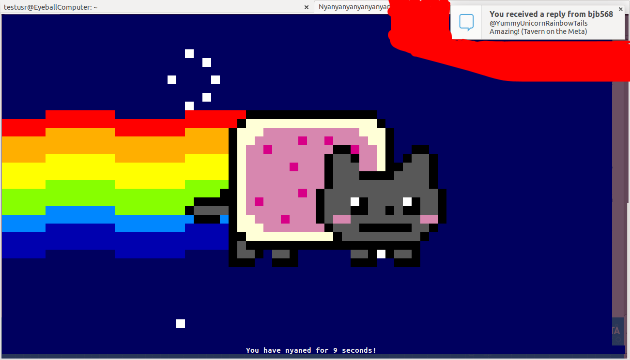
enter image description here

With freehand enabled:

enter image description here


11 Comments

Those are a lot of userscripts! One last thing before I start checking the code: can you disabling them? The main ones are SOUP, Comment Separator Fix and Threading comments? Those might be conflicting (or it might just be my bad CSS :)
All 3 disabled, no change. I assume I don't need to restart browser but just reload page (which I did)?
Never mind! I've reproed it in Firefox. I'll see what I can do! When it's fixed, I'll give you a ping :) But till then, you can use the functionality of the script! Just not the design... :( I think it's the right:10px; causing it - but as I said on Meta - I can't update anything today! I will do ASAP though :)
After a closer look I see a small problem. The edit andsavebuttons are on top of (so obscuring the image) :( Question updated with new screenshot. In addition the save button is often not working ... eventual error along the line of image upoad not working or something.
Hmmm.. I didn't think of that! I'll relocate the buttons ASAP. BTW when it fails, could you please check in the console whether there was an error - that way I can tell you what exactly is the problem! Thanks :)
|
2

!


This looks really neat! I'm glad to see that someone has brought my original idea back to life and your code looks a lot cleaner and simpler than mine :)

I tried running the script with Greasemonkey in Firefox 38.0 on Ubuntu 15.04 but wasn't able to get it to run out-of-the-box. I was able to make an adjustment to get it running, however.

jQuery (and consequently $) are not available to the script, so it runs into errors as soon as it hits the first line. Although in older versions of Greasemonkey, you could simply do:

var $ = unsafeWindow.jQuery;

...this no longer works and it is far easier to simply include jQuery itself in the script:

// @require http://code.jquery.com/jquery-2.1.4.min.js

(That line should be added right after the @match directives.)

5 Comments

Whenever I require jQuery, everything breaks in Chrome! Which is why I generally leave it out and let Tampermonkey use SE's jQuery. However, I just installed Firefox, so I will try it out... bear with me :)
How exactly does Chrome break?
OK - it works in Firefox and Chrome if I require Fabric.JS and require jQuery... I swear that wasn't working this morning!
I've updated the script - please can you update and check if it works now? Thanks :)
You can update now to get multiple brush colours and a slider to change the brush thickness :)
2

- fixed in v1.0.7


Now, you can't seem to be able to change it properly if you use the new [![][1]][1] format.

Try it here:

However, if you use the old format, it still works:

3 Comments

Blech it edited both images because they use the same source?
Hmm, I thought this was fixed in v1.0.6 (see the change log), but I'll check to see if it hasn't :/ Bit busy today, so might be tomorrow! :)
Fixed in v1.0.7 (was broken for Firefox only)
1

The buttons cover images in tags:
enter image description here
You just can't see the tag or the image.

Here's the tag.

2 Comments

images in tags!? Didn't know that existed! I'll try to look at it and push an update out in the next few days :)
I've updated the script at github

You must log in to answer this question.

Start asking to get answers

Find the answer to your question by asking.

Ask question

Explore related questions

See similar questions with these tags.