55

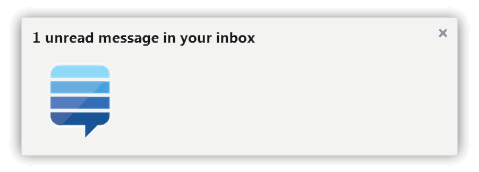
Screenshot

unread messages in your inbox

More screenshots: https://github.com/Rob--W/stackexchange-notifications/tree/master/screenshots

About

Get real-time desktop notifications for your inbox at the Stack Exchange.

After installing and setting your Stack Exchange account ID, you will get desktop notifications whenever the inbox notification count changes. Click on the notification to visit your inbox.

NEW in 2.2: The unread message count is also displayed on the extension button, and clicking on the extension button will directly show the contents of your inbox in a panel. There is a "mark as read" button to mark all messages as read.

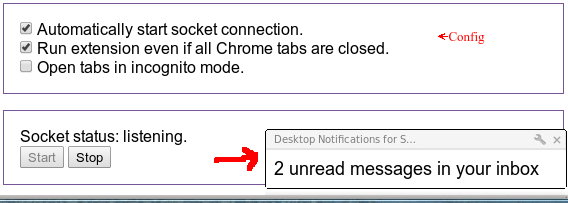
Don't want to receive notifications any more? Visit options and click on Stop.

Download

Platforms

It is supported by Chrome and Firefox, because they are the only browsers that support Desktop notifications out-of-the-box.

Contact

Drop an issue at Github, or post an answer/comment here.

Code

Used technologies: JavaScript, Chrome Extension API, WebExtensions API, Web Sockets, Stack Exchange API.

11
  • 1
    Can this extension notify me about new questions with a given tag? Commented Nov 28, 2012 at 4:05
  • @reprogrammer Technically, yes. Can you post a feature request with desired details as an answer, or create an issue on Github? In particular, how do you imagine this feature, what determines whether a post is "new" or "read"? Commented Dec 2, 2012 at 10:51
  • Hi Rob, this can be done in Firefox too. The HTML5 Notifications for Firefox extension let's Firefox use window.webkitNotifications in the same way as you consume the API in Chrome. Your extension would of course depend on another Firefox extension, but you'd have at least one avid user. See this meta post for more details. Hope this helps! Commented Dec 8, 2012 at 19:06
  • wud be cool for it to use more native notifications on OSX. I.e, currently the app pops up with it's own notification system instead of using Chrome's native notifications. But great otherwise. Commented Apr 19, 2016 at 14:05
  • 1
    @LeoUfimtsev The Chrome extension is using Chrome's native notifications. Commented Apr 19, 2016 at 14:06
  • @RobW Thank you for quick response. Hmm, I'm using Chrome Canary with experimental OS X notification feature: "chrome://flags/#enable-native-notifications". All notifications (Facebook/Google calendar etc..) looks like so: i.imgur.com/btW1yxf.png But Stackoverflow notifications look different, they have a square something like: i.imgur.com/uytXp.png I kinda wonder why.. The reason I care is native notifcations stick around for later review in OSX's notification bar along with all other notifications. Any ideas? I wouldn't mind trying to fix it if given tips/advice? Commented Apr 19, 2016 at 14:16
  • @LeoUfimtsev Ah, native in that sense. I don't have a mac, but can you try out the following: 1. Open chrome://extensions, enable developer mode. Click on Inspect background page at my extension. Click on the sources tab, select "using-websocket.js" and set a breakpoint at the first line. Then run delete chrome.notifications; in the console. Then copy-paste gist.github.com/Rob--W/5926727 in the console and run it. Then continue the breakpoint, and generate a notification (e.g. by calling setUnreadCount(1); ). Does that give the desired result? Commented Apr 19, 2016 at 14:26
  • @RobW Cool. This works :-D!. Before/After pictures: imgur.com/a/bW5eQ Now notifications do look native to OS X. Pretty :-3. They also stick around in notification bar. Is there a way to enable it permanently? Is this in the latest source? (Mind you, OS X notifications are only half-backed at present, in current stable chrome they're pretty meh. But on Canary they're pretty decent). Commented Apr 19, 2016 at 15:02
  • @LeoUfimtsev Cool. I've opened a new to-do (github.com/Rob--W/stackexchange-notifications/issues/21). I put the steps for the implementation, if you want to you can create a pull request. Commented Apr 19, 2016 at 15:11
  • @RobW kewl. I posted in the request. Commented Apr 19, 2016 at 15:15
  • 1
    Desktop notification not working ? Commented Jul 28, 2019 at 11:44

4 Answers 4

6

Can somebody please port this to Firefox? I would definitely appreciate it.

FF Desktop Notification support: https://code.google.com/p/ff-html5notifications/

22 Comments

It took some efforts, but I've managed to port the extension to a Firefox add-on. I'll update the first post once it has passed review at AMO. Till then, you can get it from the Github repository at github.com/Rob--W/stackexchange-notifications/tree/master/….
@RobW Awesome! I'll be a beta tester and help you out with bugs! Thank you so much! I will tell you if I ever manage to get it built... (I hate building code from source. It's hard, buggy, and almost never succeeds.) I will give it a shot, though.
You can install the extension with a few clicks at the Add-on gallery: addons.mozilla.org/en-US/firefox/addon/…. I have added usage notes to Github (and this question's first post), I hope that it's more clear how to use it.
I faced the following issues: 1) every time I start FF I see add-on config screen. That's a bit annoying( 2) It would be nice to have option to show notification only once for new message(s) - currently it still shows notes once every few minutes until they're still in "Unread" state.
@JamesTheAwesomeDude Unfortunately FF plugin does not work anymore: perhaps SE changed something, but Socket can't start listening... Could you fix please?
|
2

I'm probably talking to myself here since it appears nobody except me has been on this page in years, but I figured I should mention that (contrary to my previous comment) the add-in still works just fine, and I've been using the Firefox version daily (minutely?!) for months without issue.

If the developer(s) were around, I'd have a couple minor feature requests, but in the meantime, the add-in does exactly what it says, and is actually more attractive than the original post might lead you to believe...

       img: notification                                 arrow

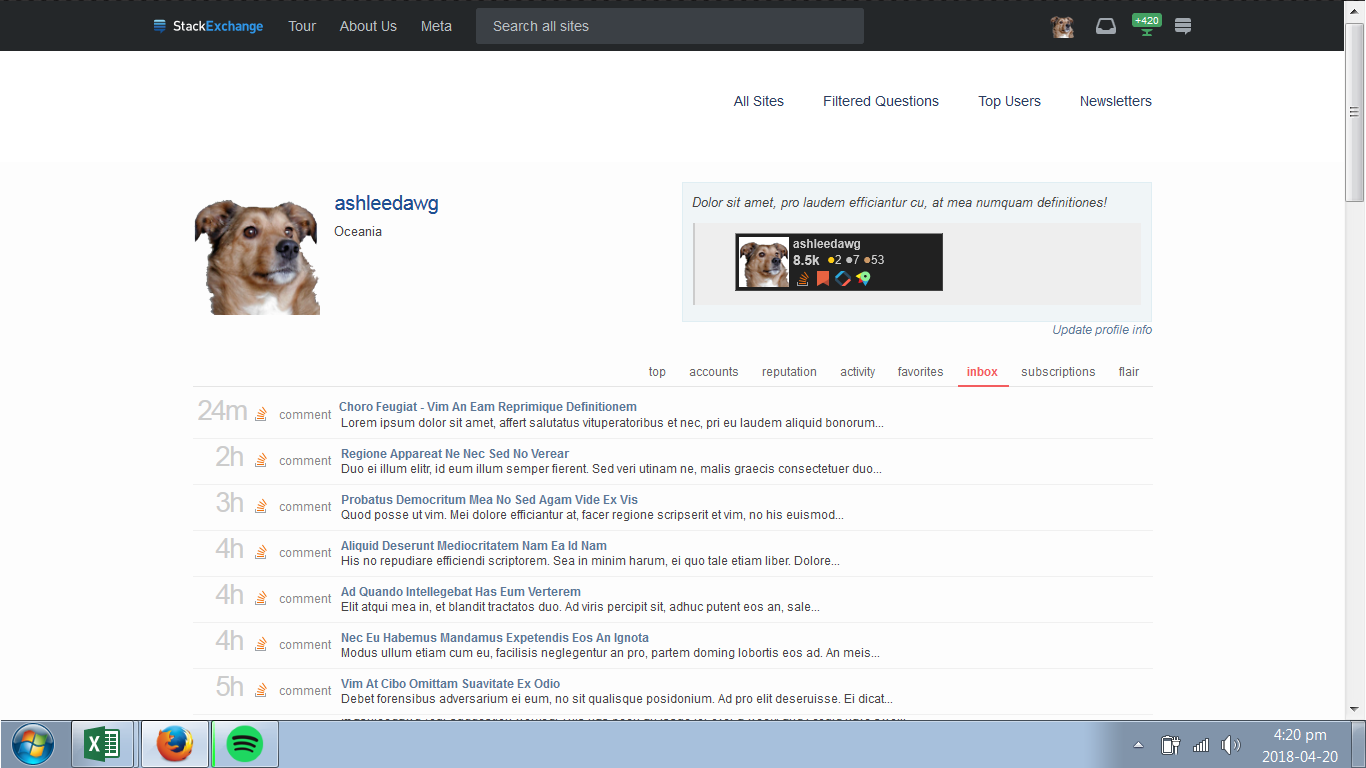
             image: S.E. Inbox               (As rendered with Firefox 56/Windows 7)

3 Comments

I'm still around. The exact appearance of the desktop notification depends on the browser and operating system. I saw your Github issue and will get back to that later.
The GitHub issue wasn't a big deal - great that's you're still around. Does the app have many active users?
I don't know, I don't keep track. You could take a look at the extension galleries and sum the shown number of active users to get an estimate.
2

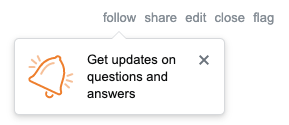
The Follow Questions and Answers feature is now live across the Network. This allows users to get notifications about any activity on a question when they follow it.

follow question popup

However, this extension does not work properly with the new feature. The extension successfully notifies the user when they have a notification from a followed question, but fails to actually display the notification. As a result, the user has to navigate to the actual Stack Exchange site in order to view the notification.

1 Comment

I don't know whether this information is available in the API. I've asked whether this information can be access through the API at meta.stackexchange.com/questions/345661/…
1

I seem to have a stuck "1" notification, even though I've read everything in my inbox. Didn't this used to have a "mark as read" button or am I crazy? Either way, how do I make this 1 go away?

enter image description here

2 Comments

Clicking on the "Mark as read" button should work, provided that you're logged in. Do you see a "1" on your inbox when you visit a StackExchange website? Do you see any unread notifications on the website?
When I posted this I did not have a "mark as read" button (as mentioned in the post). But it is there now and it did work as expected. Very strange.

You must log in to answer this question.

Start asking to get answers

Find the answer to your question by asking.

Ask question

Explore related questions

See similar questions with these tags.