
This script provides you with a box which contains the links to the answers on this page.
1
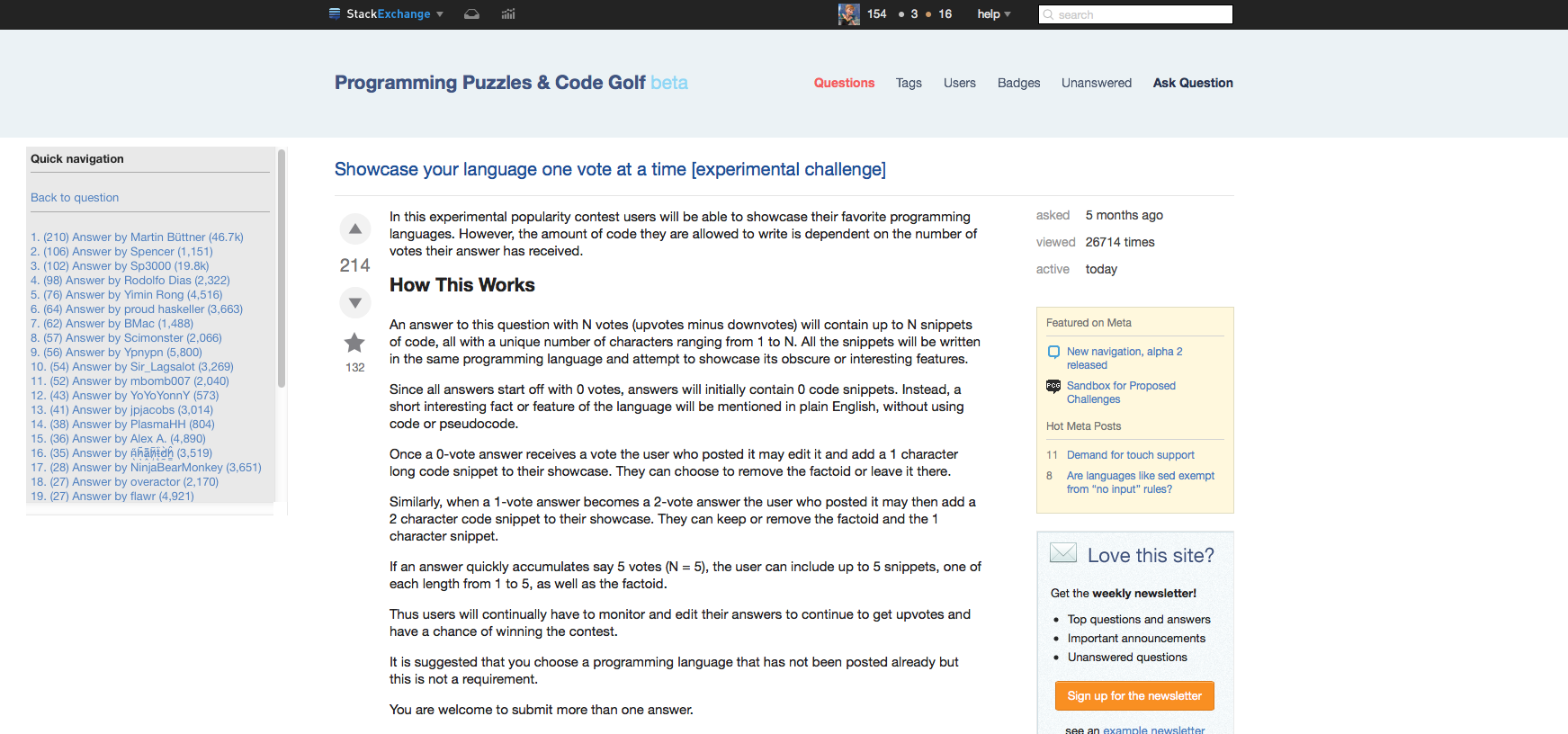
-
Looks good. A little design work and I think it's good to go. I like the settings option btw. Could have more options. People love options. A button to activate only when the page is long. A button to increase the answer count before scrolling from 19 to 30 (30 answers are the maximum amount allowed per page anyway).kemicofa ghost– kemicofa ghost2015-07-01 11:53:36 +00:00Commented Jul 1, 2015 at 11:53
Add a comment
|
5 Answers
- person who answered now shown
- the answer score shown
- owner reps shown
- box floats correctly
Awesome script. Here is a eventual feature for it that could be useful.
Instead of listing answers 'anonymously' you could have the person who answered, their reputation, their upvote count and so on.
Also, I have a very wide screen and the Quick navigation box floats far left unlike the other content.
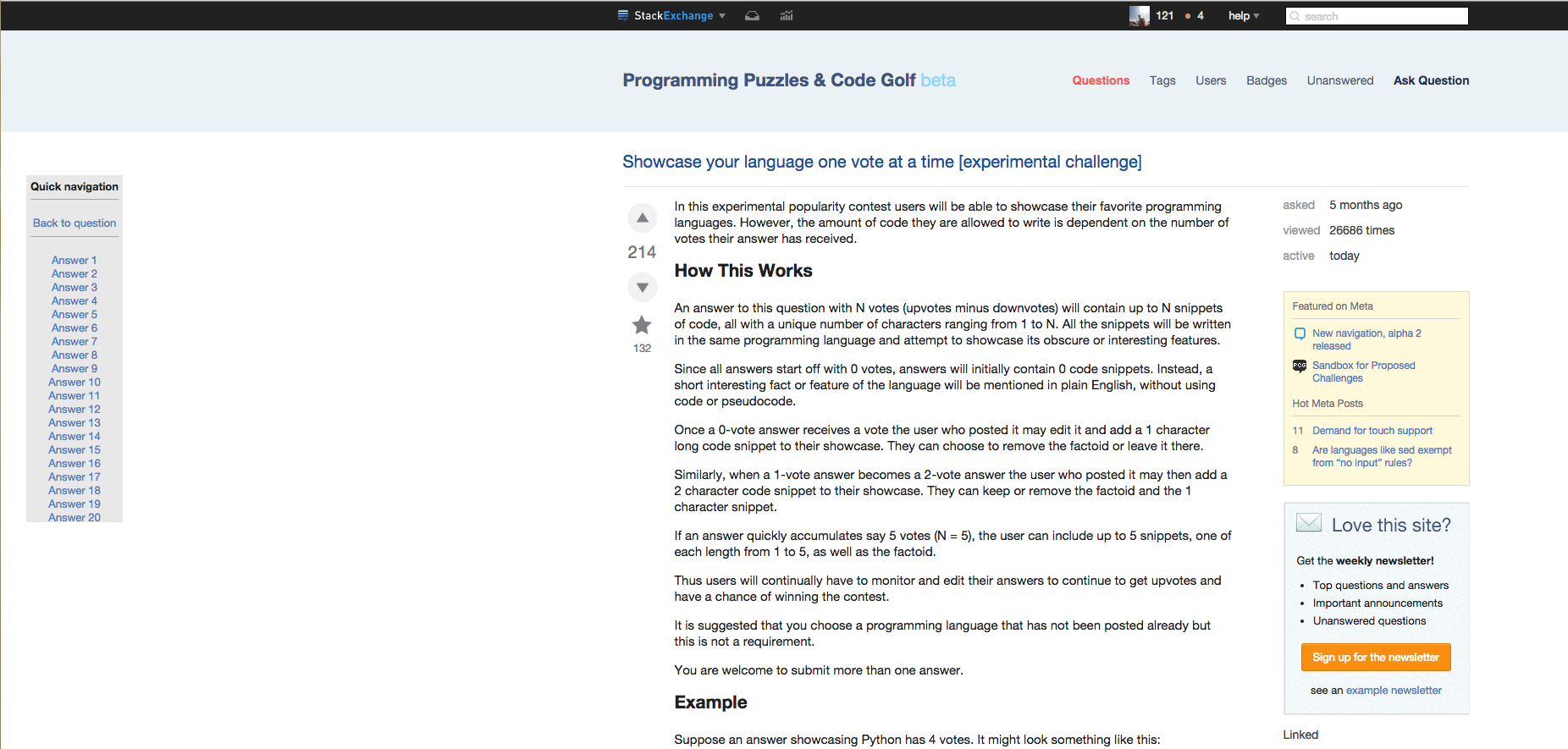
Otherwise, I'll be sure to keep using this. :)

12 Comments

nicael
Lol, I'll consider :) Also: avatar, number of votes, number of the question / answers they provided, etc :D
nicael
But seriously, where would you find so much space?

kemicofa ghost
@nicael actually I cut the screenshot. There is equal space on the right.
nicael
Got it; approve my edit :)
nicael
Hey, I've made it! approve another edit :)
|
- in case if owner is deleted, using "Answer by deleted user"
- in case if CW, using "Community Wiki answer"
When the user is a community wiki there is no reputation shown. This does make sense since they don't have reputation. Adding an abbreviation of some sort might be helpful, such as "cw".
Here is an example of the problem answer from a community wiki:

5 Comments
nicael
Okay, I'll address it later today. It also happens when the user is deleted.
kemicofa ghost
@nicael if I have more bugs should I add them to my existing answer or should I create a new answer? The bug in question is: When an answer gets deleted or added the Quick Navigation box doesn't get updated.
nicael
That's not a bug, the box is inited once the page is loaded and not updated until you reload the page. You can post it as a feature-request in the separate answer :)
nicael
I've implemented it, upgrade your script :)
kemicofa ghost
@nicael nice :) . It looks good and clean.
feature-request status-completed (except deletion)
The realtime updates are enabled by default .You can opt out of them by clicking "settings" and unchecking "real-time updates".
When an answer gets deleted or added, it would be nice if the Quick Navigation box got updated. As well as live update when an answer gets upvoted/downvoted.
7 Comments
nicael
Deleted, however, would quite difficult because the box should get the reloaded version of the page, which is quite difficult, especially in case of code golf - many resources to load. Also, how would you suppose the script to determine the deletion if there are more than 30 answers? (Maybe you can think of a different technique?) All the other points are completely valid.
kemicofa ghost
@nicael I agree. Deleted might not be worth it. SO doesn't even update a question/answer if it gets deleted. You'd have to refresh the page anyway.
nicael
Yes, was going to say about it too - SE doesn't handle the deletion process real-time, so it would be weird if my script would, because it will lead to inconsistency.
nicael
Sorry for upvoting / removing upvotes; was testing realtime votes update, it works :)
kemicofa ghost
@nicael yeah I was wondering what was happening x). That's awesome that it works.
|
New feature: if there's a pager displayed (for the reason of 30+ answers), the Quick Nav box gets a mini-pager too:
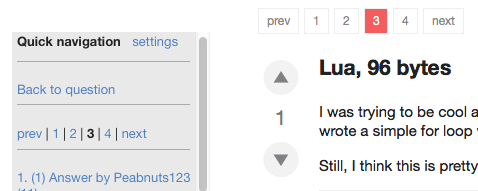
This feature is available as of Quick Nav v2.4
1 Comment
kemicofa ghost
I like the page numbers. Looks good.
When searching questions with a specific tag, the quick navigation button will appear. Here is a screenshot showing the bug.
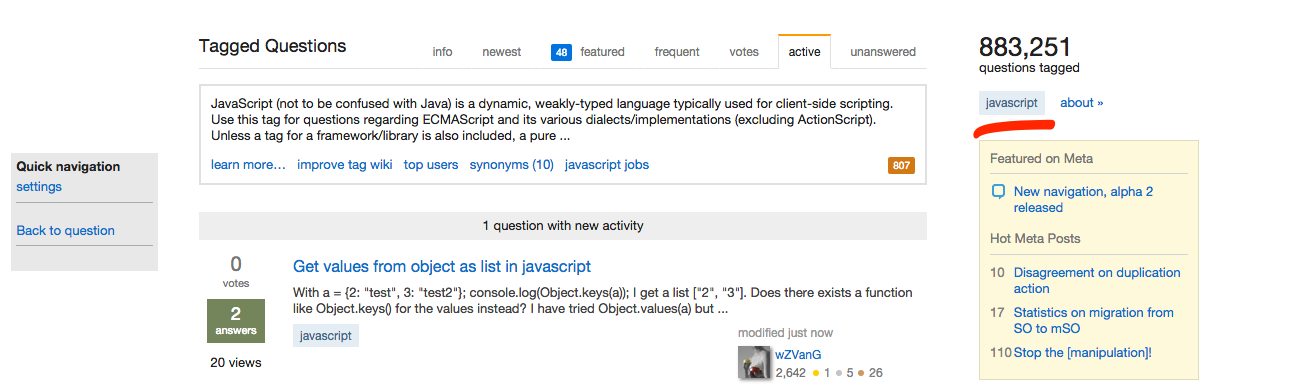
9 Comments
nicael
Yeah, did notice recently. The problem is the script is wild carded to function on /questions/*
kemicofa ghost
Hmm wonder if it's possible to exclude /questions/tagged/
nicael
Of course it is; going to do it.
kemicofa ghost
@nicael to be honest just create a GitHub? Create a master and dev branch.
kemicofa ghost
@nicael really useful tool and avoids making mistakes and writing on top of each other. Contributing to open source projects is really easy with it.
|